
Instagram Video Downloader
Download Videos from Instagram in High Quality


Download Instagram Videos
Discover and save your favorite Instagram videos with DownloadInsta, a simple online Instagram Video Downloader. Download Instagram videos directly from your browser without installing an app or creating an account. Just copy the Instagram video link, paste it into DownloadInsta, and download the video in a few simple clicks. Whether you want to save an interesting video, educational content, or a memorable post for offline viewing, DownloadInsta makes downloading Instagram videos quick and easy.
How to Download Videos from Instagram?
Downloading an Instagram video with DownloadInsta takes only three simple steps:

Copy the URL
Open Instagram and find the video you want to download. Tap the three dots (⋯) on iPhone or three dots (⋮) on Android, then select Copy Link from the menu. The Instagram video link will be copied to your clipboard.
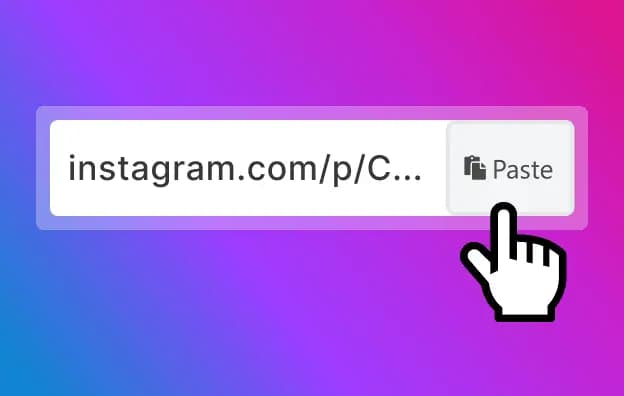
Paste the Link
Open the DownloadInsta website and paste the copied Instagram video URL into the download box. Make sure the complete Instagram link is entered, then click the Download button.
Download the Video
DownloadInsta will process the Instagram video link and provide the available download option. Click the download button to save the Instagram video to your device. Depending on your device and browser, the file will normally be stored in your Downloads folder or your selected download location.
Download Instagram Videos from Your Address Bar

DownloadInsta can also make accessing the downloader more convenient. Instead of manually opening the website first, you can use the supported shortcut format directly from your browser's address bar.
Add the DownloadInsta shortcut before an Instagram video URL in your browser's address bar.
Press Enter to open the download page.
DownloadInsta works across phones, tablets, and computers without requiring an additional app or account.
DownloadInsta Downloader
Save Instagram Videos
DownloadInsta makes it easy to save publicly available Instagram videos for offline viewing. Simply copy the URL of the Instagram video you want to save, paste it into the downloader, and follow the download instructions. Please respect Instagram's terms, copyright, and the rights of content creators when downloading or using videos. Only download and reuse content when you have the necessary permission or when it is permitted by applicable laws.
Instagram Video Downloader
Download Insta is a free online Instagram Video Downloader that works directly in your web browser. You don't need to install additional software or create an account to use the basic downloader. Simply enter the Instagram video URL and download the available video. The tool is designed to provide a straightforward way to download Instagram videos on supported devices, making it convenient to save videos for personal offline viewing.
Frequently Asked Questions (FAQ)
Find answers to some of the most common questions about the DownloadInsta Instagram Video Downloader. If you need additional help, you can contact us through the website's contact page.
Are there any limits on the number of Instagram videos I can download?
Download Insta is designed to make downloading Instagram videos simple and convenient. There is no need to download or install separate software for each video. Copy the Instagram video URL, paste it into DownloadInsta, and follow the download instructions.
Is the DownloadInsta Instagram Video Downloader free?
Yes. DownloadInsta provides a free online Instagram Video Downloader. You can use the downloader directly from your browser without purchasing additional software or creating an account.
Which devices are compatible with DownloadInsta?
DownloadInsta works through a web browser, so you can use it on many commonly used devices. It is compatible with iPhone, Android phones, tablets, Windows PCs, Mac computers, and other devices with a supported web browser. Make sure your device has enough available storage space for downloaded videos.
Can I download multiple Instagram videos?
You can download Instagram videos individually by copying and processing their respective Instagram URLs. For each video, simply copy its link, paste it into DownloadInsta, and start the download.
What Is an Instagram Video Downloader?
An Instagram Video Downloader is an online tool that allows users to save videos from Instagram using the video's URL. Instead of installing additional software, you can copy the link to a supported Instagram video, paste it into Download Insta, and download the available video file. DownloadInsta is designed to make this process quick and straightforward. You don't need to install a separate application or create an account. Simply copy the Instagram video link, open Download Insta, paste the URL into the download field, and click the download button.