
Instagram Downloader
Download Instagram Videos, Photos, Reels, IGTV & Carousels

Free Instagram Videos and Photos Downloader
DownloadInsta is a simple online Instagram Downloader that lets you quickly download Instagram videos, photos, Reels, and IGTV content. DownloadInsta app is designed to work smoothly on any device, including smartphones, tablets, and computers, so you can download Instagram content anytime, anywhere.
How Can You Download from Instagram?
Downloading Instagram videos, Reels, and photos is easy. Just follow these three simple steps to download your favorite Instagram content quickly and easily.
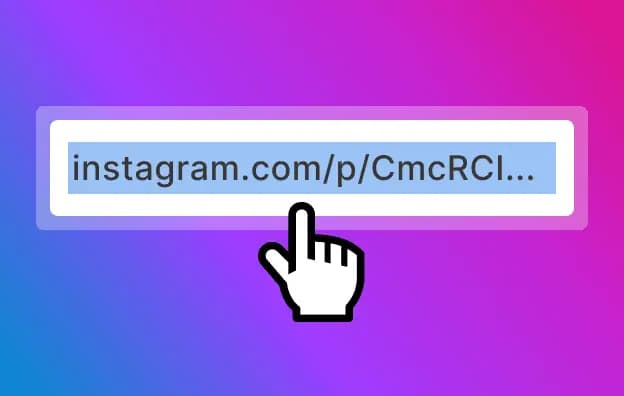
Copy the URL
Open the Instagram app or website and copy the URL of the photo, video, Reel, carousel, or IGTV content you want to download.
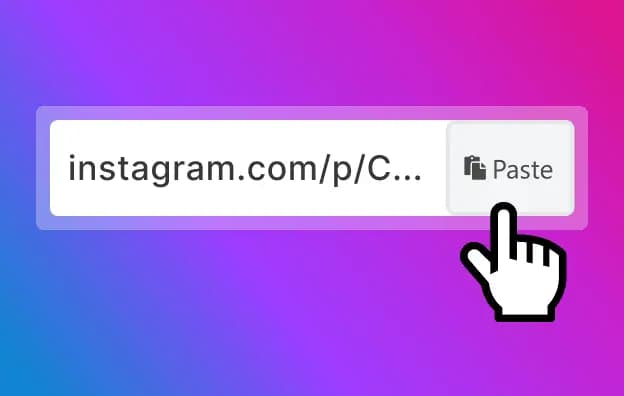
Paste the link
Go back to the DownloadInsta Instagram Downloader website, paste the copied link into the input field, and click the "Download" button.
Download
Your results will appear quickly with different quality options. Choose the quality that best suits your needs and click "Download."
Download Instagram Content Using the Link from Your Address Bar
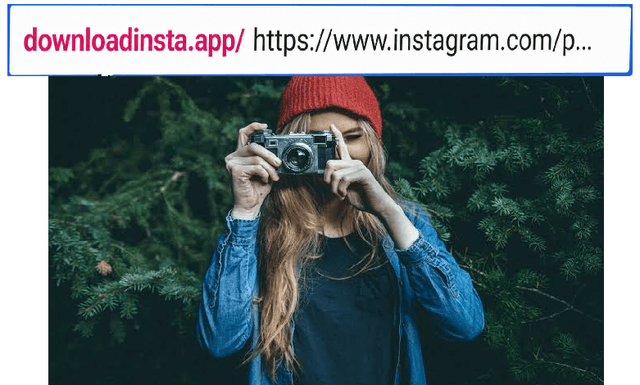
You can skip visiting the Instagram Downloader website manually. Simply add d-i.app/ before any Instagram URL in your browser's address bar.
Example: d-i.app/https://www.instagram.com/downloadinsta.app/reel/DO5tIDME6t-/
Press Enter, and you'll be taken directly to the download page. From there, you can save Instagram videos, photos, Reels, IGTV, and carousels in high quality.
It works on phones, tablets, and computers. No app installation or account is required.
Why Choose DownloadInsta.app to Download from Instagram?
Download Instagram videos in just two clicks without compromising on quality. Avoid unreliable apps and enjoy your favorite videos in high quality, even when the original content is available in lower quality.
Fast download
Our servers are optimized to provide you with the fastest download speeds.
Support for all devices
Whether you're on a mobile, tablet, or desktop, DownloadInsta has got you covered.
High quality
Download Instagram content in its original quality without any loss.
Security
We prioritize your privacy. No login required, and all downloads are processed securely.
Features of Download Insta
With DownloadInsta you can download any type of content from Instagram. Our service has an IG video downloader, Reels, photo.
Instagram Video Downloader
DownloadInsta.app makes it easy to download Instagram videos quickly and conveniently. You can download individual videos as well as videos shared in Instagram carousels. Save your favorite Instagram videos from your personal page without installing any app or creating an account.
Instagram Photo Downloader
DownloadInsta.app makes it easy to download and save photos from Instagram posts. You can download a single Instagram photo or multiple photos from carousel posts quickly and conveniently.
Instagram Reels Downloader
Instagram Reels are short-form videos designed for quick, engaging content. With DownloadInsta.app, you can easily download your favorite Instagram Reels and save them to your device for convenient access anytime.
Frequently Asked Questions About Download Insta
This FAQ answers some of the most common questions about the DownloadInsta.app downloader. If you can't find the information you're looking for, feel free to contact us by email through our Contact page.
What Is DownloadInsta.app?
DownloadInsta.app is a simple, browser-based tool that lets you save public Instagram content, including videos, photos, Reels, Stories, IGTV, and carousels, directly to your device for offline viewing. It works entirely online, so there's no software or app to install.
Is Downloading from Instagram Legal or Not?
Downloading public Instagram content for personal use may be permitted in some cases, but copyright and other rights remain with the original creator or rights holder. Avoid sharing, modifying, or using downloaded content commercially unless you have the necessary permission. Always respect the creator's rights and Instagram's terms of use.
What Formats and Qualities Does DownloadInsta Offer?
Instagram photos are downloaded in JPG format, with the highest available resolution supported by the source. Videos are saved in MP4 format and can be downloaded in the best available quality, such as HD 720p when supported by the original upload. Downloaded files are provided without added watermarks.
Do I Need to Log In or Create an Account on DownloadInsta?
No. You can use DownloadInsta.app without creating an account or logging in. Simply paste the Instagram link and start your download. You don't need to provide your Instagram credentials.
Are There Any Limits on Daily Downloads?
No. DownloadInsta.app does not impose a daily download limit. You can download as much content as you need, whether it's one item or multiple files.
How Do I Download an Instagram Post?
Download Insta has a simple interface, so you can download Instagram Videos Easily. 1. Copy the link to the Instagram post or Reel you want to download. 2. Visit DownloadInsta.app, paste the link into the input field, and click "Download." 3. Choose your preferred quality, then save the file to your device.
Can I Download Content from Private Accounts?
No. DownloadInsta.app only supports publicly available Instagram content and cannot access posts from private accounts. If a post cannot be viewed when you're logged out of Instagram, DownloadInsta.app won't be able to download it either.
Which Devices and Browsers Are Supported?
DownloadInsta.app works on most modern devices, including Windows, macOS, Linux, Android, iOS, and ChromeOS. You can use it with popular browsers such as Chrome, Safari, Firefox, Edge, Opera, and Brave on both desktop and mobile devices.
Where Do the Downloaded Files Go on My Phone or Computer?
On a computer, downloaded files are usually saved in your browser's default Downloads folder. On mobile devices, you can find them in your browser's download list or in the Files app. Depending on your device, downloaded photos and videos may also appear automatically in your gallery.
Is My Link History Stored on Your Servers?
No. Your links are processed in real time and are not stored permanently. Once the download link is generated and delivered, the original URL and temporary converted file are removed from our cache.
Why Might the Download Speed Drop?
Download speeds can vary due to a slow internet connection, ISP throttling, or temporary limits from Instagram. Try switching to another Wi-Fi network, turning off your VPN, or using a different browser. If the problem continues, contact us through our Contact page for help.