
Instagram Reels Downloader
Download Reels from Instagram with Download Insta


Download Instagram Reels Videos
Download and save your favorite Instagram Reels with DownloadInsta, a simple online Instagram Reels Downloader. You can download supported public Instagram Reels directly from your browser without installing additional software or creating an account. To download an Instagram Reel, simply copy its link from the Instagram app or website, paste the URL into DownloadInsta, and select the available download option. DownloadInsta is designed to work across iPhone, Android, Windows PC, Mac, and tablets, making it easy to save Instagram Reels for offline viewing.
How to Download Instagram Reels?
Downloading an Instagram Reel with DownloadInsta takes just three simple steps:
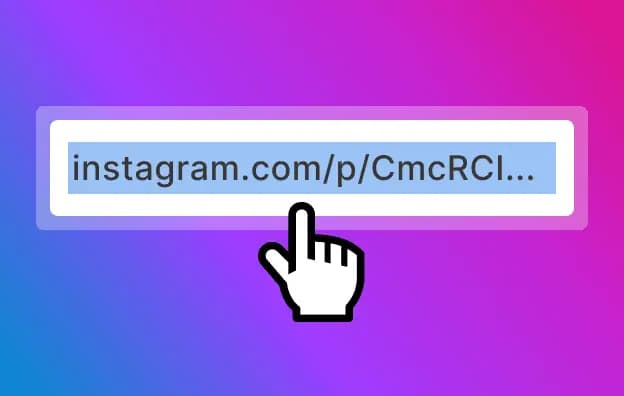
Copy the URL
Open Instagram and find the Reel you want to download. Tap the three dots (⋯) or the available sharing option, then select Copy Link. If you're using Instagram in a browser, copy the Reel URL from the address bar.
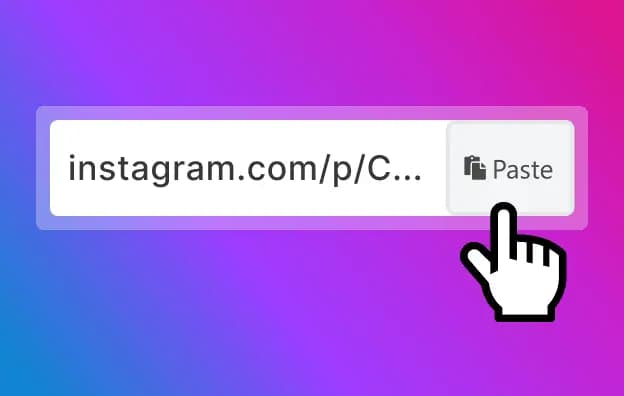
Paste the Link
Open the DownloadInsta Instagram Reels Downloader in your browser. Paste the copied Instagram Reel URL into the input field and click the Download button.
Download
DownloadInsta will process the supported Reel URL and show the available download option. Click the download button to save the Instagram Reel to your device.
Download Instagram Reels from Your Address Bar

DownloadInsta also provides a convenient way to access the Reel downloader from your browser. When the supported shortcut format is available, you can use it with an Instagram Reel URL to quickly open the download page.
Enter the supported DownloadInsta shortcut together with the Instagram Reel URL in your browser's address bar.
Press Enter to open the DownloadInsta download page.
DownloadInsta works on smartphones, tablets, laptops, and desktop computers with a compatible modern browser.
DownloadInsta Downloader
Frequently Asked Questions (FAQ)
Find answers to common questions about the DownloadInsta Instagram Reels Downloader.
Is the DownloadInsta Instagram Reels Downloader free?
DownloadInsta provides a free online tool for downloading supported Instagram Reels. You can access the downloader directly through your web browser without installing a dedicated application.
Do I need to install an app or browser extension?
No. DownloadInsta is a web-based Instagram Reel Downloader. You can use it through a compatible browser without installing a separate downloader application or browser extension.
Can I download Instagram Reels without a watermark?
DownloadInsta does not intentionally add its own watermark to downloaded media. However, the appearance of the downloaded Reel can depend on the source media and the available download file.
What video quality and format are available?
The available video quality and format depend on the source Reel and the media available through its URL. When available, Instagram Reel videos may be provided in a commonly supported video format such as MP4.
How do I download Instagram Reels on iPhone?
Copy the link of the Instagram Reel, open DownloadInsta in Safari, and paste the URL into the downloader. Tap Download and follow your browser's instructions to save the available video.
How do I download Instagram Reels on Android?
Open the Instagram app, copy the Reel link, and open DownloadInsta in your Android browser. Paste the URL, tap Download, and check your browser's Downloads section for the saved video.
Can I download Instagram Reels on a PC or Mac?
Yes. DownloadInsta works through a web browser, so you can use the Instagram Reels Downloader on compatible Windows PCs, Mac computers, laptops, and other desktop devices.
Is there a limit on how many Instagram Reels I can download?
Download availability can depend on the service, source URL, and technical conditions. For the best experience, process Reel URLs individually and follow any limits or instructions displayed by DownloadInsta.
Can I download private Instagram Reels?
DownloadInsta is intended for supported public Instagram URLs. Private content should not be accessed or downloaded unless you have the appropriate authorization and the service explicitly supports it.
Do you store the Instagram Reels I download?
DownloadInsta is designed to process download requests rather than provide permanent storage for downloaded files. Your browser handles the downloaded file on your device. For the most accurate information about data retention, refer to DownloadInsta's current Privacy Policy.
Is DownloadInsta safe to use?
DownloadInsta does not require you to provide your Instagram password to use the downloader. As with any online service, use a current browser, avoid entering sensitive information into unrelated forms, and only download content from sources you are authorized to access.
Is it legal to download Instagram Reels?
The legality of downloading and reusing Instagram Reels depends on the content, how you use it, copyright law, privacy rights, and other applicable rules. Downloading your own content or content you have permission to use is generally the safest approach. Do not assume that downloading a public Reel gives you permission to republish or commercially use it.